
Measure the usable pocket
Measure between the inner seams, away from the opening. Leave a little clearance so the paper slides in without bending. Check several pockets: tolerances and the position of the seam can vary. Sleeves, paper thickness and side-loading openings also affect the fit.
Millimetres and inches
The templates show the dimensions in both millimetres and inches. The standard pocket preset offers Snug (70 × 95 mm), Medium (68 × 93 mm) and Loose (66 × 91 mm). Double horizontal inserts are 143 × 95, 139 × 93 and 135 × 91 mm respectively, including the 3 mm seam allowance. A 68 × 93 mm insert is approximately 2.677 × 3.661 inches. A 63 × 88 mm reference is approximately 2.480 × 3.465 inches. Neither is a measurement of your specific pocket.
Actual size versus Fit
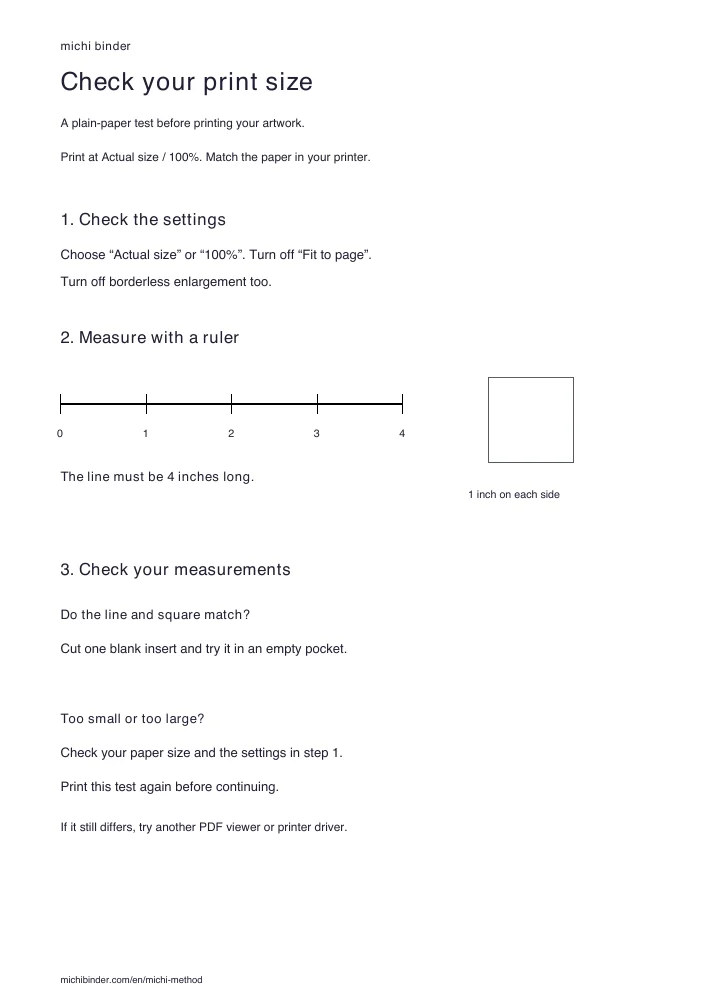
Print the PDF using “Actual size” or 100%. Disable “Fit”, “Shrink oversized pages” and borderless enlargement. Check both the selected paper size and the paper in the tray. Start on inexpensive plain paper, without any cards inside the pocket.
Correct an undersized print
Print the test sheet at Actual size / 100%. Measure its line: it should be exactly 4 inches. Check that the square is 1 inch wide and tall. If either measurement is wrong, turn off Fit, Shrink and borderless enlargement, check the paper size, and print the test again. If it still differs, try a different PDF viewer or printer driver before printing your artwork.
Resolution and cutting
At 300 pixels per inch, a 68 × 93 mm insert needs about 803 × 1098 pixels. Export the final PDF at the physical size you chose. Cut a test first, then use a ruler and cutting mat. Keep seams and cards clear of the blade.